> ## Documentation Index
> Fetch the complete documentation index at: https://docs.brewit.money/llms.txt
> Use this file to discover all available pages before exploring further.

# Accounts Management

> Organize multiple accounts however you like

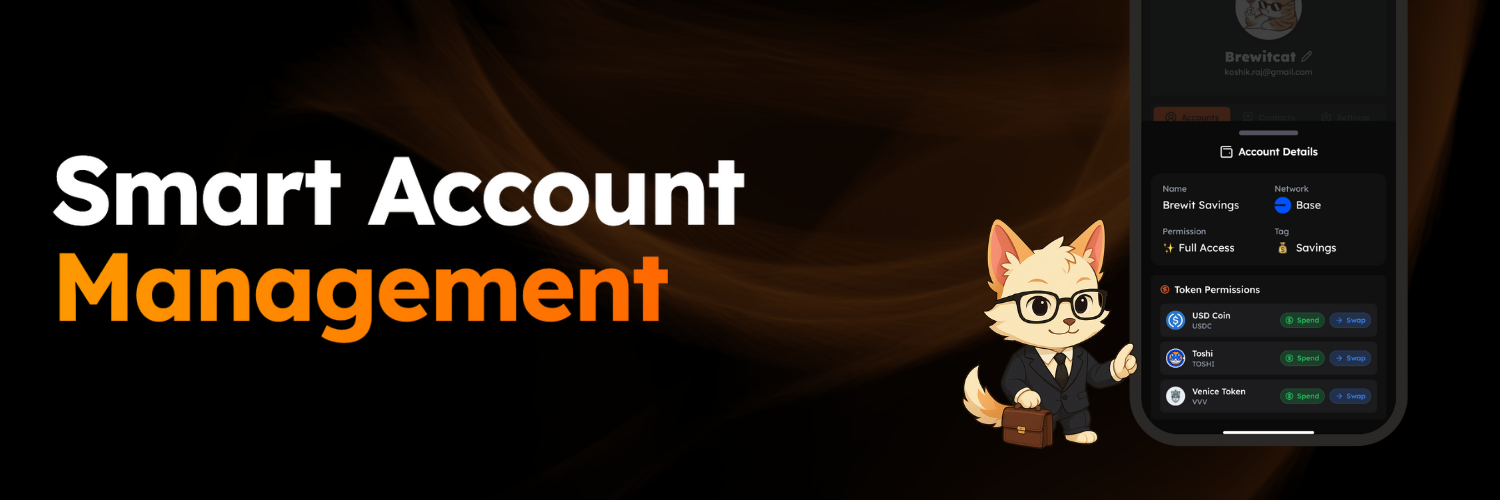
<img src="https://mintcdn.com/brewit-3af9b52e/03gxXGHuInyTTae5/images/accounts.png?fit=max&auto=format&n=03gxXGHuInyTTae5&q=85&s=efd5db6ca4ac83219858764ccb57be45" alt="Accounts" width="1500" height="500" data-path="images/accounts.png" />

Create separate accounts for different goals, or set up accounts for friends and family — all by granting permissioned access from your main Brewit account.

<Steps>
  <Step title="Select the account type">
    <p>
      Select the account type you want to create. Currently we support full access and limited access accounts.
    </p>
  </Step>

  <Step title="Select the tokens you want to grant permissioned access to">
    <p>
      Select the tokens you want to grant permissioned access to.
    </p>
  </Step>

  <Step title="Select the spending limit">
    <p>
      Select the spending limit for the new account in case of limited access account.
    </p>
  </Step>

  <Step title="Select the authentication method">
    <p>
      Select the authentication method you want to use to access the new account.
    </p>
  </Step>
</Steps>

<div className="relative aspect-video rounded-xl overflow-hidden my-8">
  <iframe width="100%" height="100%" src="https://assets.brewit.money/flow/6.mp4" frameBorder="0" allowFullScreen className="absolute inset-0" />
</div>

### Supported Account Types

Brewit lets you set up permissioned accounts tailored to different use cases. Here are the supported types:

1. **Full Access (Sudo)**
   * Grant full access to specific tokens on each chain.
   * Choose between *swap* or *spend* permissions — with no limits — per token.
   * Brewit displays all tokens with a balance for easy selection.

2. **Limited Access**
   * Set spending limits on a per-token basis.\
     *Example: Allow 5 USDC out of 100 USDC from your main account.*

***

### Supported Authentication Methods

Choose from a range of authentication options depending on your needs. Brewit currently supports:

* **Email Address**
  * Add and verify an email to grant access — even to new users.\
    *Ideal for onboarding friends or family.*

* **Passkey**
  * Use an existing or new passkey stored on your phone.\
    *Great for managing your main account with permissioned access across devices.*

* **Existing Brewit User**
  * Grant access to any existing Brewit user by entering their address or scanning their QR code.

***

Once an account is created, you can **track**, **edit**, or **remove** it from your main account — and access it anytime using the chosen authentication method.
