# Accounts Management
Source: https://docs.brewit.money/app/accounts
Organize multiple accounts however you like
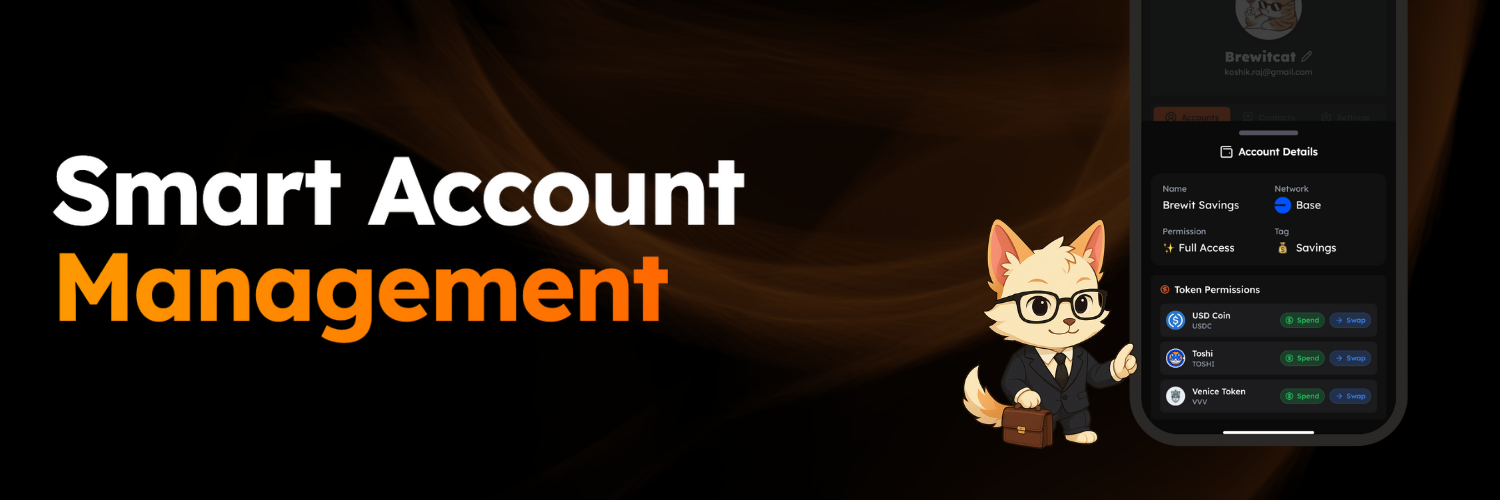
Create separate accounts for different goals, or set up accounts for friends and family — all by granting permissioned access from your main Brewit account.
Select the account type you want to create. Currently we support full access and limited access accounts.
Select the tokens you want to grant permissioned access to.
Select the spending limit for the new account in case of limited access account.
Select the authentication method you want to use to access the new account.
### Supported Account Types
Brewit lets you set up permissioned accounts tailored to different use cases. Here are the supported types:
1. **Full Access (Sudo)**
* Grant full access to specific tokens on each chain.
* Choose between *swap* or *spend* permissions — with no limits — per token.
* Brewit displays all tokens with a balance for easy selection.
2. **Limited Access**
* Set spending limits on a per-token basis.\
*Example: Allow 5 USDC out of 100 USDC from your main account.*
***
### Supported Authentication Methods
Choose from a range of authentication options depending on your needs. Brewit currently supports:
* **Email Address**
* Add and verify an email to grant access — even to new users.\
*Ideal for onboarding friends or family.*
* **Passkey**
* Use an existing or new passkey stored on your phone.\
*Great for managing your main account with permissioned access across devices.*
* **Existing Brewit User**
* Grant access to any existing Brewit user by entering their address or scanning their QR code.
***
Once an account is created, you can **track**, **edit**, or **remove** it from your main account — and access it anytime using the chosen authentication method.
# One-click Onboarding
Source: https://docs.brewit.money/app/onboarding
Start your crypto adventure in seconds.
## Get started in seconds
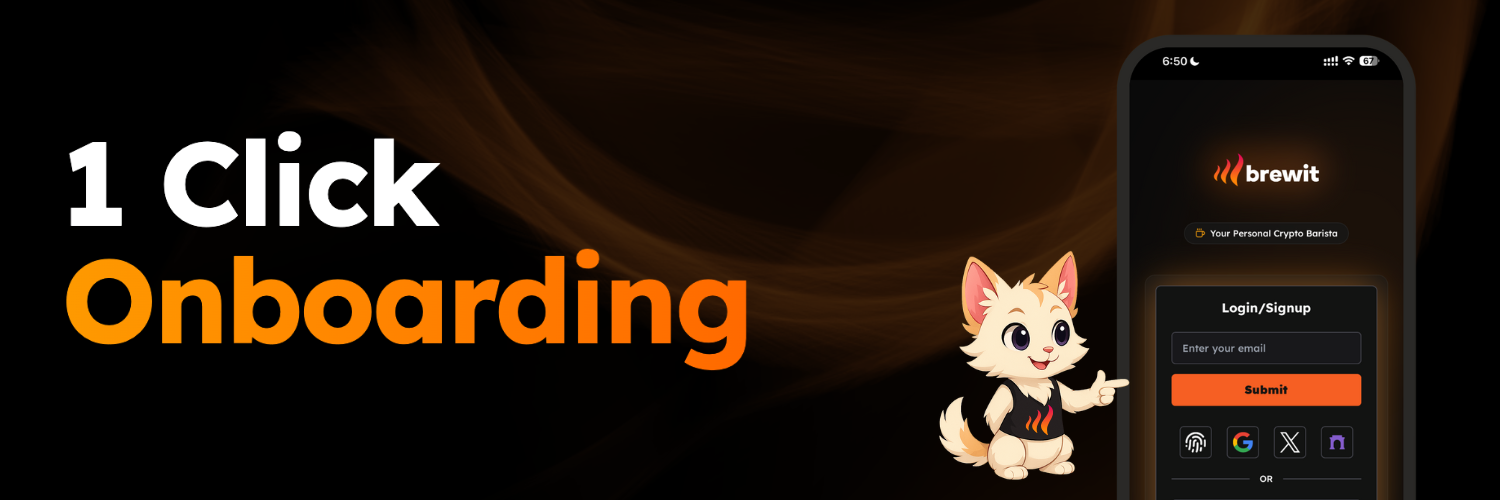
Sign up with social logins, email, or even a passkey on your phone — no complex setup, just tap and go.
Login with your existing email address, social media accounts or a passkey on your phone.
Access your account from any device with the same login credentials whether you are on desktop, mobile or tablet.
### Supported login mechanisms:
1. Signin with your existing email address.
2. Signing using your Google, Twitter or Fascaster accounts
3. Use your phone or devices passkey using either fingerpring or face id scan
4. Use any of your exising wallets if you are familiar with such as MetaMask Rabby (Use this if you are sure your crypto wallets are secure)
# Overview
Source: https://docs.brewit.money/app/overview
Welcome to the cafe!
## Explore the perfect blend
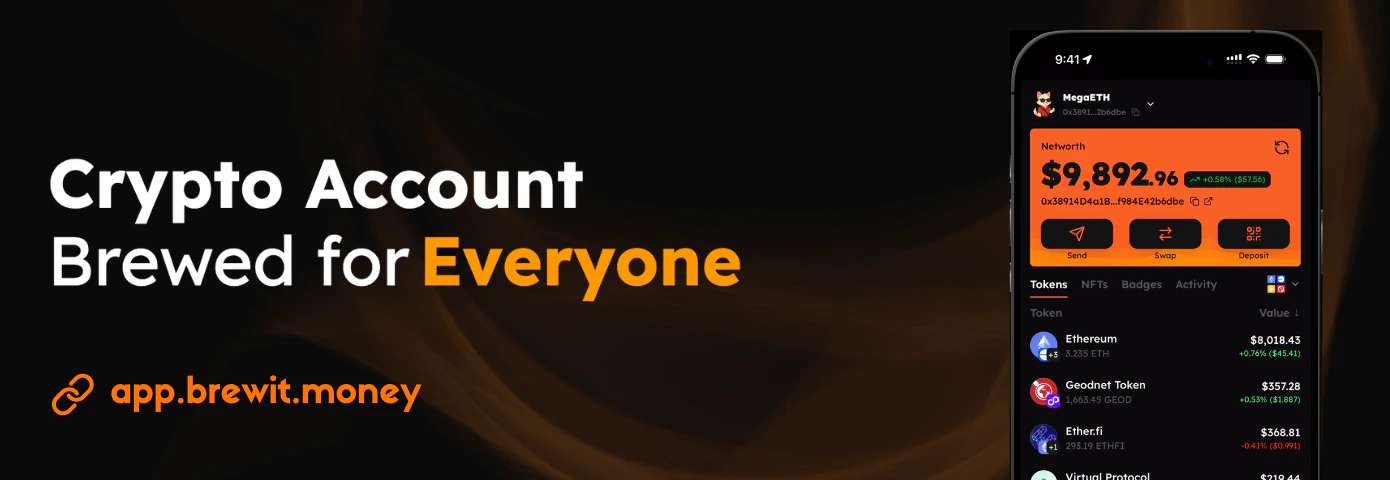
Get started in seconds iwth social logins, emails or your passkey logins
Sending and swapping assets couldn't get easier
Your Brewit account is built on a rock-solid Safe smart account
Organize accounts your way
# Built-In Security
Source: https://docs.brewit.money/app/security
Powered by battle-tested Safe smart accounts
Your Brewit account is secured by a rock-solid Safe smart account — trusted across the crypto ecosystem.
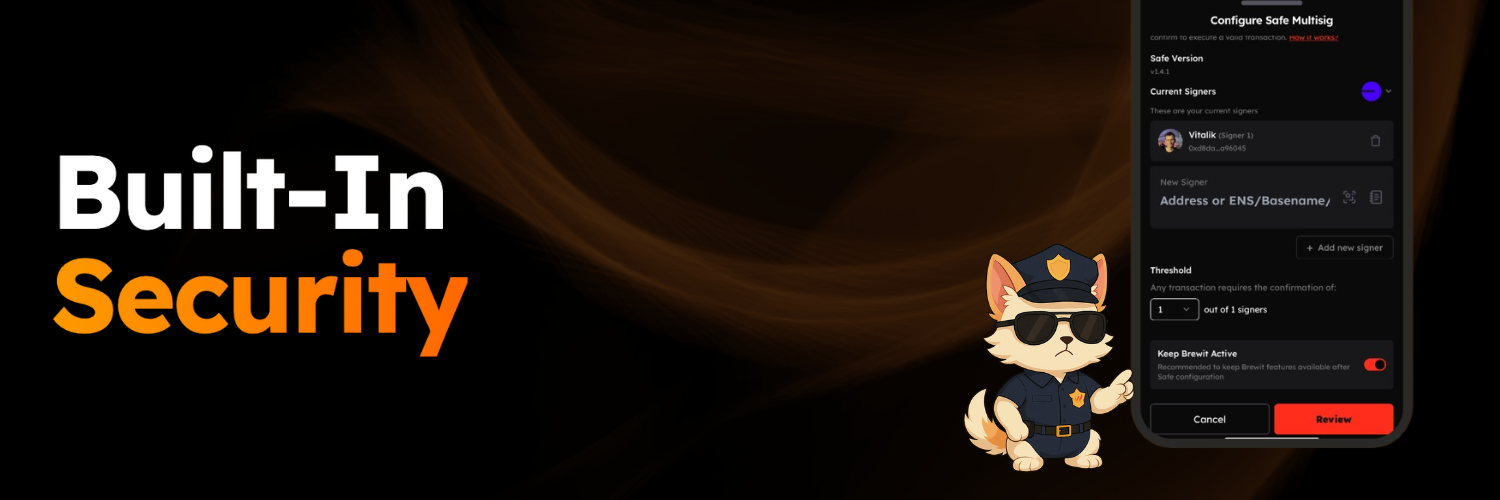
Looking for even more protection? Easily upgrade to a multisig setup, just like the ones used by top industry players.
Add new signers for your Safe Multisig to use a different owner as signer.
Update the signer threshold for your Safe to make it either single signer or multisig account.
The configuration will be applied to the current network you are using Brewit on.
### Progressive Security for Your Account
1. Every Brewit user starts with a secure Safe smart account.
2. Perform all actions in Brewit with seamless, user-friendly authentication flows.
3. When you're ready, enable multifactor authentication for added protection.
4. Upgrade to a Safe multisig setup to boost security and unlock compatibility with Safe{Wallet}.
### Configure Safe Account
Your Safe account can be configured to use a different owner as signer. On Brewit, this can be done by clicking on the "Security" tab and then configuring the signers and signer threshold.
### Exit Brewit
Moving from one crypto wallet to another? You can exit Brewit by clicking on the "Exit Brewit" under the "Security" tab and selecting the new crypto wallet you want to transfer all your assets to.
Currently, you need to do this for each network you are using Brewit on.
### Multifactor Authentication
Coming soon!
### Account Recovery
Coming soon!
# Swift Transactions
Source: https://docs.brewit.money/app/transactions
Send and swap assets effortlessly
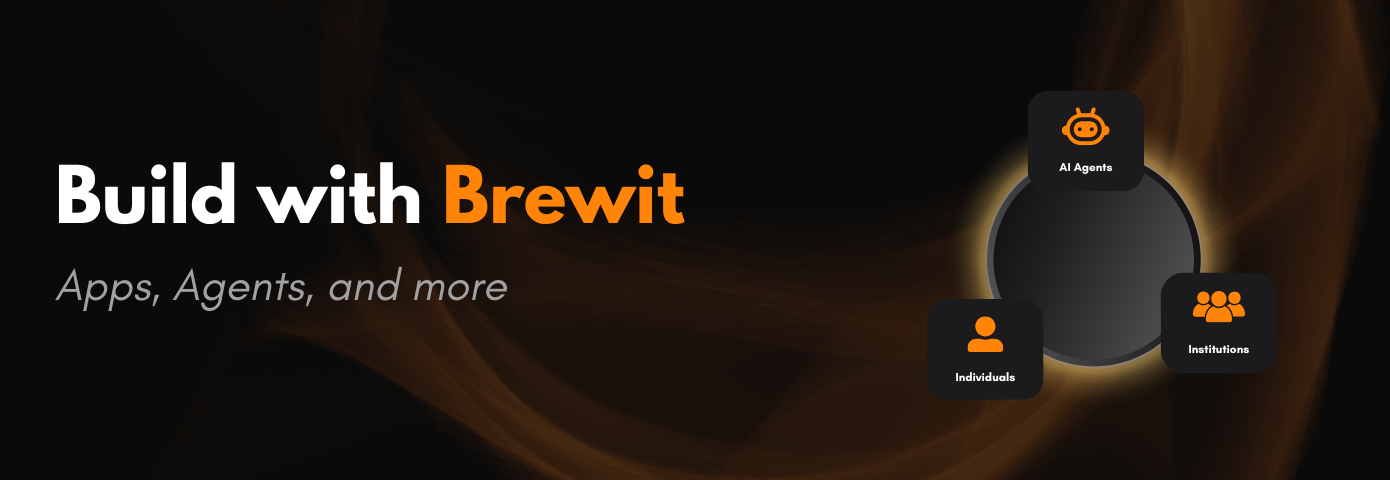
Swap and send assets to your friends or contacts with lightning speed — without worrying about gas fees. It's crypto, made effortless.
### Highlights
1. Send to your personal contacts, ENS, Base names or any crypto address.
2. No need to worry about transaction fee, we got you covered.
3. Just select the asset to buy and sell, we do all the work
# get Automation Agent Info
Source: https://docs.brewit.money/brewit-api/automation/info
GET /automation/info
# Create a Monad Agent task
Source: https://docs.brewit.money/brewit-api/automation/monad/create
POST /automation/agents/monad
# Delete a Monad Agent task
Source: https://docs.brewit.money/brewit-api/automation/monad/delete
DELETE /automation/agents/monad/{jobid}
# List all Monad Agent tasks
Source: https://docs.brewit.money/brewit-api/automation/monad/get-all
GET /automation/agents/monad
# Create an Operation Task
Source: https://docs.brewit.money/brewit-api/automation/operations/create
POST /automation/agents/operations
# Create a Scheduled Job
Source: https://docs.brewit.money/brewit-api/automation/scheduler/create-job
POST /automation/scheduler/jobs
# Get all Scheduled Jobs
Source: https://docs.brewit.money/brewit-api/automation/scheduler/get-all
GET /automation/scheduler/jobs
# Get Badge
Source: https://docs.brewit.money/brewit-api/badges/get
GET /badges/{id}
# Get All Badges
Source: https://docs.brewit.money/brewit-api/badges/get-all
GET /badges
# Introduction
Source: https://docs.brewit.money/brewit-api/introduction
Complete guide to the Brewit API endpoints and authentication
## Welcome
The Brewit API provides programmatic access to Brewit's platform features. This API allows you to manage badges, automate trading tasks, and schedule jobs.
## Base URL
All API requests should be made to:
```
https://api.brewit.money
```
## Available Endpoints
### Badge Management
Manage user badges and achievements
### Automation & Trading
Create and manage automated trading tasks
Manage Monad Agent trading automation
Schedule and manage automated jobs
## Authentication
Most API endpoints require Bearer token authentication. You can obtain your authentication token from the Brewit application after logging in.
### Authentication Header
Include your Bearer token in the Authorization header:
```bash theme={null}
Authorization: Bearer YOUR_TOKEN_HERE
```
### Example Request
```bash theme={null}
curl -X GET "https://api.brewit.money/badges" \
-H "Authorization: Bearer YOUR_TOKEN_HERE" \
-H "Content-Type: application/json"
```
## Response Format
All API responses are returned in JSON format with standard HTTP status codes:
* `200` - Success
* `400` - Bad Request
* `401` - Unauthorized
* `404` - Not Found
* `500` - Internal Server Error
## Rate Limiting
API requests are subject to rate limiting to ensure fair usage. Please implement appropriate retry logic with exponential backoff in your applications.
## Getting Started
1. **Obtain your API token** from the Brewit application
2. **Review the endpoint documentation** for the specific features you need
3. **Test your integration** using the provided examples
4. **Implement error handling** for production use
For detailed information about each endpoint, please refer to the specific documentation sections above.
# Create an Account
Source: https://docs.brewit.money/build/account
User account creation
## Quick Start
To get started with Brewit Account all we need it [`brewit.js`](https://github.com/brewitmoney/brewit.js) package.
```bash npm theme={null}
npm install brewit
```
```bash pnpm theme={null}
pnpm install brewit
```
```bash yarn theme={null}
yarn add brewit
```
```bash bun theme={null}
bun install brewit
```
## Create an Account
```ts theme={null}
import { toAccount } from 'brewit';
const account = await toAccount({
chainId: 8453,
rpcEndpoint: 'https://mainnet.base.org',
signer: privateKeyToAccount('0x...'),
type: 'main',
config: { validator: 'ownable' },
});
```
### Send a transaction
```ts theme={null}
import { createAccountClient } from 'brewit';
// You can replace with any bundler URL
const pimlicoAPIKey = "";
const bundlerUrl = `https://api.pimlico.io/v2/11155111/rpc?apikey=${pimlicoAPIKey}`
const client = createAccountClient(account, bundlerUrl);
const tx = await client.sendTransaction({
account: account,
to: '0x...',
value: '0x...',
});
```
# Delegated Account
Source: https://docs.brewit.money/build/delegated-account
Creating and managing a delegated account
## Create delegated account
```ts theme={null}
import { toAccount } from 'brewit';
import { createDelegatedAccount } from 'brewit/delegation';
const mainAccount = await toAccount({
chainId: 8453,
rpcEndpoint: 'https://mainnet.base.org',
signer: privateKeyToAccount('0x...'),
type: 'main',
config: { validator: 'ownable' },
});
// Define the validator and policy for the delegated account
const validator = {
address: '0xValidatorAddress', // Validator contract address
initData: '0x...', // Validator initialization data
salt: '0x...', // Unique salt for the delegated account
};
const policyParams = {
policy: 'spendlimit', // or 'sudo'
tokenLimits: [{ token: '0xTokenAddress', amount: 1000000000000000000n }],
};
const txs = await createDelegatedAccount(mainAccount, validator, policyParams);
```
### Use a delegated account
```ts theme={null}
import { toAccount } from 'brewit/account';
const delegatedAccount = await toAccount({
chainId: 8453,
safeAddress: mainAccount.address,
rpcEndpoint: 'https://mainnet.base.org',
signer: privateKeyToAccount('0x...'),
type: 'delegated',
config: { validator: 'ownable', validatorInitData: '0x...', salt: '0x...' },
});
```
### Send a transaction
```ts theme={null}
import { createAccountClient } from 'brewit';
const client = createAccountClient(delegatedAccount, bundlerUrl);
const tx = await client.sendTransaction({
account: account,
to: '0x...',
value: '0x...',
});
```
### Get delegated account details
```ts theme={null}
import { getDelegatedAccount } from 'brewit/delegation';
// Fetch delegated account info
const delegatedInfo = await getDelegatedAccount(
publicClient, // viem PublicClient instance
tokens, // Array of tokens to check
mainAccount.address,
validator,
'spendlimit' // or 'sudo'
);
```
### Update a delegated account
```ts theme={null}
import { updateDelegatedAccount } from 'brewit/delegation';
// Update the policy or validator for the delegated account
const updatedPolicyParams = {
policy: 'spendlimit',
tokenLimits: [{ token: '0xTokenAddress', amount: 2000000000000000000n }],
};
const updateTxs = await updateDelegatedAccount(mainAccount, updatedPolicyParams, validator);
// Send these transactions using your preferred method
```
### Remove a delegated account
```ts theme={null}
import { removeDelegatedAccount } from 'brewit/delegation';
const removeTxs = await removeDelegatedAccount(mainAccount, validator);
// Send these transactions using your preferred method
```
# Overview
Source: https://docs.brewit.money/build/overview
Welcome to the Brewery!
## Build with Brewit Account
Brewit Account is perfect for any consumer app, institutions and AI Agents.
Create your first Brewit Account
Create and manage delegated account for your Brewit Account
Intergate account with Brewit Automation (Soon!)
Import and use existing Safe as Brewit Account (Soon!)
# Introduction
Source: https://docs.brewit.money/introduction
Welcome to the brewery!
## What is BrewIt?
Brewit is the ultimate crypto account to kickstart your journey into the world of digital assets.
Powered by the industry-leading [Safe](https://safe.global/) smart accounts and seamlessly integrated with Account Abstraction ERC-4337 infrastructure through robust ERC-7579 implementations, Brewit makes managing your crypto simple, secure, and flexible.
With Brewit Accounts, you can easily delegate access, automate actions, and unlock powerful features using our intuitive Delegation SDK. We handle the technical complexities, so you can focus on what matters—whether you're exploring as a user or building innovative integrations as a developer.
Think of it as your friendly barista — guiding you through your investments, securing your assets, and serving up smooth experiences while you enjoy your perfect brew.
## Explore the perfect blend
Get started in seconds iwth social logins, emails or your passkey logins
Integrate Brewit Account into your app with our SDK (Soon!)
Integrate Brewit Services into your app with our API (Soon!)
# Privacy Policy
Source: https://docs.brewit.money/legal/privacy
Privacy Policy for Brewit
# Privacy Policy
Last updated: April 10, 2025
Your privacy is important to us. It is our policy to respect your privacy and comply with any applicable law and regulation regarding any personal information we may collect about you, including across our website, [https://brewit.money](https://brewit.money), and other sites we own and operate as well as mobile applications we offer. Wherever possible, we have designed our website so that you may navigate and use our website without having to provide Personal Data.
This Privacy Policy describes how we, as a controller, collect, use and share your personal data. It applies to personal data you voluntarily provide to us, or that is automatically collected by us.
In this policy, "**we**", "**us**" and "**our**" refers to Consenso Labs Private Limited., Bangalore, India. Any data protection related questions you might have about how we handle your personal data or if you wish to exercise your data subject rights, please contact us by post or at **[admin@consensolabs.com](mailto:admin@consensolabs.com)**.
In this Policy, "**personal data**" means any information relating to you as an identified or identifiable natural person (“Data Subject”); an identifiable natural person is one who can be identified, directly or indirectly, in particular by reference to an identifier such as a name, an online identifier or to one or more factors specific to your physical, physiological, genetic, mental, economic, cultural or social identity.
In this Policy, "**processing**" means any operation or set of operations which is performed on personal data or on sets of personal data, whether or not by automated means, such as collection, recording, organisation, structuring, storage, adaptation or alteration, retrieval, consultation, use, disclosure by transmission, dissemination or otherwise making available, alignment or combination, restriction, erasure or destruction.
***
### 1. Glossary
* **Blockchain**: A decentralized digital ledger for recording transactions across multiple computers.
* **Transaction**: A record of an interaction or operation on the blockchain.
* **Smart Contract**: A self-executing contract with the terms of the agreement directly written into code.
* **Token**: A digital asset issued on a blockchain.
* **Wallet**: A digital tool enabling blockchain interactions and token management.
* **Public Key**: A cryptographic code enabling others to send data to a wallet.
* **Private Key**: A confidential code that provides control over the wallet.
* **Account**: A user identity managed through the Brewit platform that interacts with blockchain services.
* **Brewit Interface(s)**: The web and mobile interfaces provided by Brewit for user interaction with blockchain technologies and features.
***
### 2. Your Information and the Blockchain
When you use Brewit to interact with the blockchain, your public wallet address and transaction history become publicly visible. The blockchain is immutable and globally accessible, which means data recorded cannot be deleted or altered. We do not control the data published on-chain nor can we delete it.
***
### 3. How We Use Personal Data
We use your data for:
* **One-click Onboarding**: We may process your wallet address and usage data to personalize your experience.
* **Swift Transactions**: We track transaction status and performance metrics to improve reliability.
* **Built-In Security**: IP addresses, login timestamps, and request metadata are processed for fraud prevention.
* **Accounts Management**: We use identifiers and cookies to maintain sessions and secure account activities.
**Third-party service providers include:**
* **Alchemy**: RPC and webhook data
* **Zerion**: NFT and transaction data
* **Metamask**: Price APIs
* **Dynamic**: Signing facilitation
* **Pimlico**: Bundler and paymaster operations
* **Matcha 0x**: Swap aggregation
* **Vercel**: Hosting and API delivery
* **Cloudflare**: DNS and performance security
* **AWS**: Log and database storage via S3, EC2, CloudFront
Legal bases for processing include consent, performance of a contract, legal obligation, and legitimate interest.
***
### 4. Use of Third-Party Applications
We integrate services from the above providers for platform functionality. These may collect and process your personal data under their own policies. We ensure all third-party providers uphold data protection obligations via contracts and audits.
***
### 5. Sharing Your Personal Data
Your data may be shared with partners and providers to fulfill services. We require these entities to respect your privacy and only use your data for intended purposes. Your data may also be disclosed if required by law or for legal defense.
***
### 6. Transferring Your Data Outside of the UK
Some service providers operate globally, and your data may be stored or processed in countries outside the UK. When transferring data, we rely on standard contractual clauses and other safeguards. However, blockchain data is globally accessible and outside our control.
***
### 7. Existence of Automated Decision-Making
We do not use your data for automated decision-making or profiling with legal or significant effects.
***
### 8. Data Security
We use encryption, firewalls, access controls, and continuous monitoring to protect your data. While we strive to use commercially acceptable means to protect your data, no method is 100% secure.
***
### 9. Your Rights as a Data Subject
Under UK GDPR, you have rights to:
* Access and obtain a copy of your data
* Rectify inaccurate or incomplete data
* Request erasure (excluding blockchain data)
* Restrict or object to processing
* Data portability
* Not be subject to automated decision-making
* Object to direct marketing
* Withdraw consent
* Lodge a complaint with the ICO
To exercise your rights, contact us at **[admin@consensolabs.com](mailto:admin@consensolabs.com)**.
***
### 10. Storing Personal Data
We retain data for as long as necessary to fulfill the purposes set out in this policy, or as required by law. Criteria include account activity, legal obligations, and data category. For example:
* Account logs: 12 months
* Transaction data: indefinitely (on blockchain)
* Contact records: 24 months after final interaction
***
### 11. Children’s Data
Our services are not intended for children under 18. If you suspect a child is using our platform, contact us immediately at **[privacy@consensolabs.com](mailto:privacy@consensolabs.com)**.
***
### 12. Changes to this Privacy Policy
We may update this policy periodically. Changes will be notified via our website or email. Continued use after changes constitutes acceptance.
***
### 13. Contact Us
Email: **[admin@consensolabs.com](mailto:admin@consensolabs.com)**\
Address: Consenso Labs Private Limited, Bangalore, India
If we appoint a Data Protection Officer, their contact details will be made available here.
# Terms and Conditions
Source: https://docs.brewit.money/legal/terms
Terms and Conditions for Brewit
# Terms and Conditions
Last updated: **10th April, 2025**
### 1. Welcome to Brewit
Welcome to Brewit (the "Platform"). The Platform provides access to a user-friendly interface for managing digital assets. These terms and conditions (these "Terms") constitute a binding legal agreement between each individual, entity, group or association who views, interacts with or otherwise uses or derives any benefit from the Platform ("Users") and **Consenso Labs Private Limited** ("Brewit" or "Platform Operator").
### 2. Contact Information
Please contact us at **email: [admin@consensolabs.com](mailto:admin@consensolabs.com)** for any questions or issues.
### 3. Eligibility
In order to use the Platform, you must satisfy the following eligibility requirements:
* You are of legal age in your jurisdiction and have the legal capacity to enter into these Terms.
* If you accept these Terms on behalf of a legal entity, you have the legal authority to do so.
* You are not a resident, national or agent of any **Restricted Territory** or a **Sanctions List Person**, consistent with applicable laws and regulations. The definition of Restricted Territories and Sanctions List Persons includes, but is not limited to, countries subject to embargoes or sanctions by the United States, the United Kingdom, or the European Union, and individuals or entities on relevant sanctions lists.
* Your use of the Platform is not prohibited by and does not violate any applicable laws or regulations, or contribute to any illegal activity.
### 4. Platform Overview
Brewit is a crypto account designed to facilitate your journey into the world of digital assets. It aims to provide a smooth experience for managing your investments and securing your assets. The Platform may in the future offer integration with other applications through our API and SDK.
### 5. User Responsibility and Security
* You are solely responsible for managing and securing your digital assets, including your private keys, passwords, and any other credentials required to access your Brewit account and associated wallets. Brewit does not have custody of your assets.
* You must personally review and authorise all transactions.
* You are solely responsible for the security of any wallet you use in connection with our Services.
* Brewit is not responsible for recovering your account if you lose access.
* Brewit is not responsible for flagging malicious transactions; you are responsible for checking the legitimacy of any transaction.
### 6. Prohibited Uses
You agree not to engage in any of the following prohibited uses of the Platform:
* Utilising the Platform other than for its intended purpose.
* Misrepresenting your eligibility to use the Platform.
* Relying on the Platform for financial advice.
* Engaging in any fraudulent or misleading activity.
* Attempting to hack or attack the Platform or related systems.
* Violating any applicable laws, rules or regulations.
* Using VPN or other anonymization tools to circumvent restrictions.
* Engaging in manipulative trading activities.
* Engaging in unauthorised token-based financings.
* Circumventing sanctions or export controls.
### 7. Representations and Warranties of Users
By using the Platform, you represent and warrant that:
* You meet the eligibility requirements outlined in Section 3.
* You have the legal capacity and authority to agree to these Terms.
* Your use of the Platform does not violate any applicable laws or agreements.
* You are not located in or a resident of any jurisdiction subject to economic sanctions.
* You are knowledgeable and experienced in using blockchain and related technologies.
* You understand that blockchain transactions are irreversible.
* You will comply with all applicable tax obligations.
* You will not misuse the Platform by introducing harmful software or engaging in unauthorised access.
* You understand that the Platform is in an early development stage and may have risks.
### 8. Risks, Disclaimers and Limitations of Liability
* The Platform is provided on an "AS IS" and "AS AVAILABLE" basis.
* Brewit disclaims all warranties, express or implied, regarding the Platform.
* Brewit is not liable for any consequential, incidental, indirect, punitive or exemplary damages.
* The information provided on the Platform is for informational purposes only and does not constitute professional advice. You should seek independent professional advice before making any financial decisions.
* Your use of third-party services or dApps connected through the Platform is at your own risk, and Brewit is not responsible for them.
* You acknowledge the risks associated with blockchain technology, crypto-assets, and smart contracts, including volatility, security vulnerabilities, and potential loss of funds.
* Brewit is not responsible for issues arising from blockchain forks or other network events.
* Brewit relies on third-party software and services, and their failure may affect the Platform.
* Brewit is not responsible for your tax liabilities.
* Brewit may modify, suspend, or discontinue the Platform at any time without notice.
* Brewit is not responsible for recovering lost access to your account or private keys.
* Brewit is not responsible for notifying you about events in your account or flagging malicious transactions.
* Liability for free services is limited to cases of intent, gross negligence, or fraudulent concealment.
* Brewit is not liable for disruptions outside of its control, including force majeure events.
### 9. Intellectual Property Matters
All Brewit-related marks, logos, and branding are the property of **Consenso Labs Private Limited** or its licensors. You must not use them without consent.
### 10. Privacy Policy
Your use of the Platform is also governed by our Privacy Policy, which is available at **[https://docs.brewit.money/legal/privacy](https://docs.brewit.money/legal/privacy)**.
### 11. Governing Law and Dispute Resolution
* **These Terms shall be governed by and construed in accordance with the laws of Bangalore, India.**
* **Any dispute arising out of or in connection with these Terms shall be subject to the exclusive jurisdiction of the courts in Bangalore, India.**
* You agree to attempt to resolve any disputes amicably before pursuing legal action.
* To the extent permitted by applicable law, you waive any right to a jury trial and agree that any legal action will be conducted in your individual capacity and not as a class action.
### 12. Amendments and Modifications
Brewit reserves the right to amend, modify, or supplement these Terms at any time. The most current version will be posted on the Platform. Your continued use of the Platform after any such changes constitutes your acceptance of the revised Terms.
### 13. Termination
Brewit may terminate or limit your access to the Platform at any time. You may also terminate your agreement with Brewit at any time.
### 14. Entire Agreement
These Terms constitute the entire agreement between you and Brewit regarding your use of the Platform and supersede all prior agreements and understandings.
# User Accounts
Source: https://docs.brewit.money/technology/accounts
User account creation and authentication
## Account Creation
Brewit accounts are implemented as Safe Accounts (formerly Gnosis Safe) that comply with ERC-4337 Account Abstraction and ERC-7579 specifications. This implementation provides:
* Full compatibility with ERC-4337 infrastructure
* Enhanced security through modular validation
* Flexible authentication mechanisms
### Technical Implementation
Each Brewit account is deployed as an ERC-7579-enabled Safe Account with the following configuration:
```json theme={null}
{
"owners": ["authenticatedSigner"], // Single owner based on auth method
"version": "1.4.1",
"entryPoint": "0x5FF137D4b0FDCD49DcA30c7CF57E578a026d2789", // EntryPoint v0.7
"validators": [
], // Based on auth method
"executors": [],
"attesters": [
"RHINESTONE_ATTESTER", // is the address of the Rhinestone attester
"ZENGUARD_ATTESTER" // is the address of the Zenguard attester
],
"attestersThreshold": 1, // Number of attesters required for module attestation
"safe4337ModuleAddress": "SAFE_7579_ADAPTER", // is the address of the Safe 7579 adapter module
"erc7579LaunchpadAddress": "ERC7579_LAUNCHPAD", // is the address of the ERC7579 Launchpad contract
"safeSingletonAddress": SAFE_SINGLETON // is the address of the Safe Singleton contract
}
```
This configuration could be used to generate a Safe Account using library like [permissionless.js](https://docs.pimlico.io/permissionless/how-to/accounts/use-safe-account)
[Refer contract deployments for more details:](/technology/deployments)
## Authentication Methods
Brewit supports multiple authentication strategies, each implemented with specific security considerations:
### 1. Dynamic Embedded Wallet Authentication
**Use cases**: Email and Social logins (Google, Twitter, Farcaster)
Technical implementation:
* Utilizes [Dynamic Embedded Wallets](https://docs.dynamic.xyz/wallets/embedded-wallets/dynamic-embedded-wallets)
* Wallet is added as both owner and validator of the Safe Account
* Currently uses Trusted Execution Environment (TEE) for key management
* Planned migration to Threshold Signature Scheme (TSS-MPC) for enhanced security
Dynamic Embedded Wallets uses TEE for key management and signing but soon will be ported to TSS-MPC for better security.
### 2. WebAuthn Passkey Authentication
**Implementation details**:
* Integrates Rhinestone-attested WebAuthn module
* Compatible with ERC-7579 specification
* Originally developed by ZeroDev for Kernel Accounts
* Custom passkey service for additional platform authentication
We run our own Passkey service to also authenticate the user for various other services.
### 3. External Wallet Authentication
**Features**:
* Direct integration with existing crypto wallets
* Wallet becomes primary signer and validator
* Supports all major Web3 wallet providers
* Compatible with both EOA and smart contract wallets
# Delegated Accounts
Source: https://docs.brewit.money/technology/delegated-accounts
Organize multiple accounts however you like
Create separate accounts for different goals, or set up accounts for friends and family — all by granting permissioned access from your main Brewit account.
## Delegated Account implementation
Brewit uses a flexible session key implementation ([Smart Sessions](https://github.com/erc7579/smartsessions)) to allow users to create delegated account.
Smart Sessions is authored by [Biconomy](https://www.biconomy.io) and [Rhinestone](https://www.rhinestone.wtf) team.
It is a flexible session management validator implementation for smart accounts, providing granular access control using policies.
Read more about it [here](https://github.com/erc7579/smartsessions/wiki/Smart-Sessions).
Here is how we create and manage delegated accounts using Smart Sessions:
Select a policy and conditions to allow or disallow access to your account based on the type of permission you want to grant.
Currently we support 2 types of policies:
-
Full Access - Allow access to specific tokens to perform unlimited swap or spend operations.
Brewit uses [Sudo Policy](https://github.com/erc7579/smartsessions/blob/main/contracts/external/policies/SudoPolicy.sol) for this.
-
Limited Access - Allow access to specific tokens to perform limited spend operations.
Brewit uses [ERC20SpendingLimitPolicy](https://github.com/erc7579/smartsessions/blob/main/contracts/external/policies/ERC20SpendingLimitPolicy.sol) for this.
These policies are applied to the subaccount session as action policies.
A session is needed to validate the transactions from the subaccount for these policies to work.
We allow session validation using several session validators.
-
[Ownable Session Validator](https://github.com/rhinestonewtf/core-modules/tree/main/src/OwnableValidator) - This validator is used to validate the embedded wallet session of social/ email login auth providers.
-
WebAuthn Passkey validator - This is slightly modified version of the original WebAuthn passkey validator to support the ISessionValidator.
Once the session validator is set, we can create a subaccount session by enabling the smart session module on the smart account and adding the session details to enable the session.
We track the session details in the subaccount by querying the particular policy.
We also allow the user to edit or remove the subaccount by calling the appropriate functions on the smart session module.

## Smart Sessions integration guide
Read more about the Smart Sessions integration guide by Rhinestone [here](https://docs.rhinestone.wtf/module-sdk/modules/smart-sessions).
Check out the deployement details for the smart sessions module [here](./deployments).
# Contract Deployments
Source: https://docs.brewit.money/technology/deployments
Contract deployments for Brewit
### Smart Account Infrastructure
| Contracts | Address | Deployed By |
| -------------------------- | -------------------------------------------------------------------------------------------------------------------------- | ---------------------------------------- |
| ERC-4337 EntryPoint (v0.7) | [0x0000000071727De22E5E9d8BAf0edAc6f37da032](https://contractscan.xyz/contract/0x0000000071727De22E5E9d8BAf0edAc6f37da032) | [EF ERC-4337](https://www.erc4337.io) |
| Safe singleton | [0x29fcB43b46531BcA003ddC8FCB67FFE91900C762](https://contractscan.xyz/contract/0x29fcB43b46531BcA003ddC8FCB67FFE91900C762) | [Safe](https://safe.global) |
| Safe factory | [0x4e1DCf7AD4e460CfD30791CCC4F9c8a4f820ec67](https://contractscan.xyz/contract/0x4e1DCf7AD4e460CfD30791CCC4F9c8a4f820ec67) | [Safe](https://safe.global) |
| Safe7579 Adapter | [0x7579EE8307284F293B1927136486880611F20002](https://contractscan.xyz/contract/0x7579EE8307284F293B1927136486880611F20002) | [Rhinestone](https://www.rhinestone.wtf) |
| Safe7579 Launchpad | [0x7579011aB74c46090561ea277Ba79D510c6C00ff](https://contractscan.xyz/contract/0x7579011aB74c46090561ea277Ba79D510c6C00ff) | [Rhinestone](https://www.rhinestone.wtf) |
| Module Registry | [0x000000000069E2a187AEFFb852bF3cCdC95151B2](https://contractscan.xyz/contract/0x000000000069E2a187AEFFb852bF3cCdC95151B2) | [Rhinestone](https://www.rhinestone.wtf) |
| Rhinestone Attester | [0x000000333034E9f539ce08819E12c1b8Cb29084d](https://contractscan.xyz/contract/0x000000333034E9f539ce08819E12c1b8Cb29084d) | [Rhinestone](https://www.rhinestone.wtf) |
| Brewit Attestor | [0xC9e29745a752B551a7FCD19Afe50EcCEf5fd7d02](https://contractscan.xyz/contract/0xC9e29745a752B551a7FCD19Afe50EcCEf5fd7d02) | [Brewit](https://www.brewit.money) |
### Modules
| Contracts | Address | Deployed By |
| -------------------------- | -------------------------------------------------------------------------------------------------------------------------- | ---------------------------------------- |
| Webauthn Validator | [0x2f167e55d42584f65e2e30a748f41ee75a311414](https://contractscan.xyz/contract/0x2f167e55d42584f65e2e30a748f41ee75a311414) | [Rhinestone](https://www.rhinestone.wtf) |
| Ownable Validator | [0x2483DA3A338895199E5e538530213157e931Bf06](https://contractscan.xyz/contract/0x2483DA3A338895199E5e538530213157e931Bf06) | [Rhinestone](https://www.rhinestone.wtf) |
| Smart Sessions Validator | [0x00000000002B0eCfbD0496EE71e01257dA0E37DE](https://contractscan.xyz/contract/0x00000000002B0eCfbD0496EE71e01257dA0E37DE) | [Rhinestone](https://www.rhinestone.wtf) |
| Webauthn Session Validator | [0x4853727f59C3C161a58E153E2B0F9F683EcFB9Df](https://contractscan.xyz/contract/0x4853727f59C3C161a58E153E2B0F9F683EcFB9Df) | [Brewit](https://brewit.money) |
### Policies
| Contracts | Address | Deployed By |
| --------------------------- | -------------------------------------------------------------------------------------------------------------------------- | ---------------------------------------- |
| Sudo Policy | [0x0000003111cD8e92337C100F22B7A9dbf8DEE301](https://contractscan.xyz/contract/0x0000003111cD8e92337C100F22B7A9dbf8DEE301) | [Rhinestone](https://www.rhinestone.wtf) |
| ERC20 Spending Limit Policy | [0x6d12b354080557a9e74db3c0e2e0c26607597a08](https://contractscan.xyz/contract/0x6d12b354080557a9e74db3c0e2e0c26607597a08) | [Brewit](https://brewit.money) |
### Brewit Contracts
| Contracts | Address | Deployed By |
| ------------------- | -------------------------------------------------------------------------------------------------------------------------- | ------------------------------ |
| Brewit Badge | [0xDa14ef9fbe2E27DD0eb639094d07dbB329808Cd4](https://contractscan.xyz/contract/0xDa14ef9fbe2E27DD0eb639094d07dbB329808Cd4) | [Brewit](https://brewit.money) |
| Brewit Badge Minter | [0xC742ab68C728Dbf2Ec81b03410Ed3c094E89A2Af](https://contractscan.xyz/contract/0xC742ab68C728Dbf2Ec81b03410Ed3c094E89A2Af) | [Brewit](https://brewit.money) |
## Supported Chains
Brewit is currently deployed on the following chains:
### Mainnet Networks
* Ethereum Mainnet
* Arbitrum One
* BNB Smart Chain
* Base
* Gnosis Chain
* Optimism
* Polygon PoS
* Scroll
* Celo
* Avalanche
* World Chain
* Unichain
* Sonic
### Test Networks
* Base Sepolia
* Ethereum Sepolia
* Monad Testnet
### Suppoting Soon
* Soneium
* Linea
* Berachain
* Zksync
* Mantle
* Zora
* OP BNB
* Blast
* Sei
* Mode
* HyperEVM
* Katana
> **Note:** If you need support for any other/ custom chain, please [reach out to us](https://t.me/brewitmoney/24)!
# Overview
Source: https://docs.brewit.money/technology/overview
Welcome to the roaster!
## Explore the tech
Learn about Brewit accounts
Sending and swapping assets couldn't get easier
Your Brewit account is built on a rock-solid Safe smart account
Learn about delegated accounts
# Security
Source: https://docs.brewit.money/technology/security
Powered by battle-tested Safe smart accounts
# Account Security Architecture
Your Brewit account is secured by a rock-solid Safe smart account — trusted across the crypto ecosystem.
## Smart Account Implementation
Every Brewit account uses:
* Safe smart account version 1.4.1
* Account abstraction functionality via:
* ERC-4337 adapter and ERC-7579 adapter. Brewit uses [Safe7579](https://github.com/rhinestonewtf/safe7579) by Rhinestone to enable ERC-7579 and 4337 functionality.
## Account Initialization
The account initialization process varies based on the authentication method:
### Embedded Wallet or Crypto Wallet
* Safe account is initialized with the wallet owner
* Threshold is set to 1
### Passkey Authentication
* Safe account is initialized with a burner address (`0x000000000000000000000000000000000000dead`)
* Threshold is set to 1
## Safe Account Interoperability
The deployed Safe account is compatible with other Safe-compatible wallets and services. However:
* By default, Safe accounts use an embedded wallet as owner
* This default configuration is not compatible with other Safe-compatible wallets and services
### Customizing Compatibility
Users can enhance compatibility by:
* Changing the owner address
* Converting to a multisig account
* Configuring settings in the Security section
SDK support for these configurations will be available in future releases.
## Security Features
### Multifactor Authentication
Coming soon!
### Account Recovery
Coming soon!
# Transactions
Source: https://docs.brewit.money/technology/transactions
Send and swap assets effortlessly
Brewit uses ERC-4337 infra and tools to create and send transactions as user operations.
### User Operation creation
User operation is created for send and swap operations based on the user's intent.
For swap operations, we make use of 0x API to get the best route and quote.
### User Operation Signing
User operation is signed by signer of the smart account based on the authentication method.
### User Operation propagation
User operations collect relevant information uncluding paymaster to sponsor the transactions fee and then send to the bundler.
We make use of Pimlico Paymaster and Bundler to propagate the user operations.
# Overview
Source: https://docs.brewit.money/tutorials/overview
Welcome to the Brewery!
## Build with Brewit Account
Brewit Account is perfect for any consumer app, institutions and AI Agents. Explore our tutorials to build powerful applications using account abstraction and delegation.
Create a testnet faucet agent that distributes tokens using delegation on Monad
Learn how to create and manage delegated accounts for secure token operations
Auto smart investment using DCA with scheduler and AI agent (Coming Soon!)
A vault yield rebalancing AI Agent for optimal portfolio management (Coming Soon!)
# Build a faucet agent
Source: https://docs.brewit.money/tutorials/sample-agent
Faucet agent that drips token using delegation
## Overview
This tutorial shows you how to build a faucet agent using the [Brewit Agent Template](https://github.com/brewitmoney/agent-template). The agent uses Brewit's delegation system to distribute tokens from delegated accounts, providing a secure and efficient way to run a token faucet service.
## What You'll Learn
* How to set up and run the faucet agent
* How Brewit delegation works for token distribution
* How to customize the agent for your needs
* How to interact with the agent's API from any client
## Setting up the agent
Start by cloning the Brewit Agent Template repository to your local machine.
```bash theme={null}
git clone https://github.com/brewitmoney/agent-template.git
cd agent-template
```
Install all required dependencies using your preferred package manager.
```bash npm theme={null}
npm install
```
```bash pnpm theme={null}
pnpm install
```
```bash yarn theme={null}
yarn install
```
```bash bun theme={null}
bun install
```
Set up your environment variables by copying the example file and adding your configuration.
```bash theme={null}
cp env.example .env
```
Edit the .env file with your configuration:
Set up your agent configuration by editing the config file with your private key and salt.
```json theme={null}
{
"privateKey": "your_private_key_here" // Optional,
"salt": "your_session_salt_here"
}
```
Launch the development server to start your faucet agent.
```bash theme={null}
yarn dev
```
The agent will start on [http://localhost:8002](http://localhost:8002)
## Using the Agent API
Once your agent is running and you have set up delegation, here's the complete flow to claim tokens:
First, get the agent's validator information by querying the info endpoint.
```bash theme={null}
curl http://localhost:8002/info
```
This returns the agent's validator details needed for delegation setup.
Create a delegated account using the validator info from the previous step. Follow the delegation guide to set up the delegated account for the agent.
The delegated account will have permission to spend tokens on behalf of the main account, enabling the faucet to distribute tokens securely.
Once delegation is set up, you can claim tokens from the faucet using the claim endpoint.
```bash theme={null}
curl -X POST http://localhost:8002/claim \
-H "Content-Type: application/json" \
-d '{
"tokens": ["0x1234..."],
"toAddress": "0x5678..."
}'
```
## How Delegation Works
The faucet agent uses Brewit's delegation system to distribute tokens securely:
### 1. Account Setup
* The agent creates a main account using the private key
* It gets delegated access to tokens from other accounts
* This allows the agent to spend tokens without needing the original account's keys
### 2. Token Distribution Flow
```mermaid theme={null}
graph TD
A[User Request] --> B[Agent Validates]
B --> C[Check Delegation]
C --> D[Send Native Tokens]
C --> E[Send ERC-20 Tokens]
D --> F[Transaction Complete]
E --> F
```
### 3. Security Benefits
* **No private key exposure**: The agent doesn't need the original account's private keys
* **Controlled access**: Delegation can be revoked at any time
* **Account abstraction**: Uses smart contract wallets for enhanced security
### Other Endpoints
### Health Check
```bash theme={null}
curl http://localhost:8002/health
```
## Customizing the Agent
### 1. Modify Token Amounts
Edit `src/executer/index.ts` to change the token distribution amounts:
```ts theme={null}
// Native token amount (ETH)
value: parseEther('0.1') // Change from 0.1 to your desired amount
// ERC-20 token amount
amount: '0.001' // Change from 0.001 to your desired amount
```
### 2. Add Rate Limiting
Add rate limiting to prevent abuse in `src/routes/faucet.ts`:
```ts theme={null}
import rateLimit from 'express-rate-limit';
const limiter = rateLimit({
windowMs: 15 * 60 * 1000, // 15 minutes
max: 5 // limit each IP to 5 requests per windowMs
});
router.post('/claim', limiter, async (req, res) => {
// ... existing code
});
```
### 3. Auto Claim
Add auto claim flow using a scheduler to drip tokens every hour or day
### 4. Auto swap
Add auto swap flow to convert existing token if the requested token doesn't exist
## Project Structure
```
agent-template/
├── src/
│ ├── index.ts # Main server entry point
│ ├── routes/ # API route handlers
│ │ ├── faucet.ts # Token claiming logic
│ │ ├── health.ts # Health check endpoint
│ │ └── info.ts # Agent information
│ ├── executer/ # Core execution logic
│ │ ├── index.ts # Main execution functions
│ │ └── utils/ # Utility functions
│ ├── middleware/ # Express middleware
│ ├── types/ # TypeScript type definitions
│ ├── utils.ts # Helper functions
│ └── config.json # Agent configuration
├── package.json
├── env.example
└── README.md
```
## Next Steps
1. **Deploy to Production**: Set up proper environment variables and deploy to your preferred hosting platform
2. **Add Monitoring**: Implement logging and monitoring for better observability
3. **Enhance Security**: Add additional validation and rate limiting
4. **Scale Up**: Consider using a database to track claims and prevent abuse
## Resources
* [Brewit Agent Template](https://github.com/brewitmoney/agent-template)
* [Brewit.js Documentation](https://github.com/brewitmoney/brewit.js)